
Protect your family
with XZ Family
Professional parental control and family monitoring application. Keep your children safe in the digital world and the real world.
- Real-time Location
- Screen Time Limits
- App Management
- SOS Alerts

Powerful Features for Family Safety
Essential tools designed for modern parents to ensure the digital and physical well-being of their children.
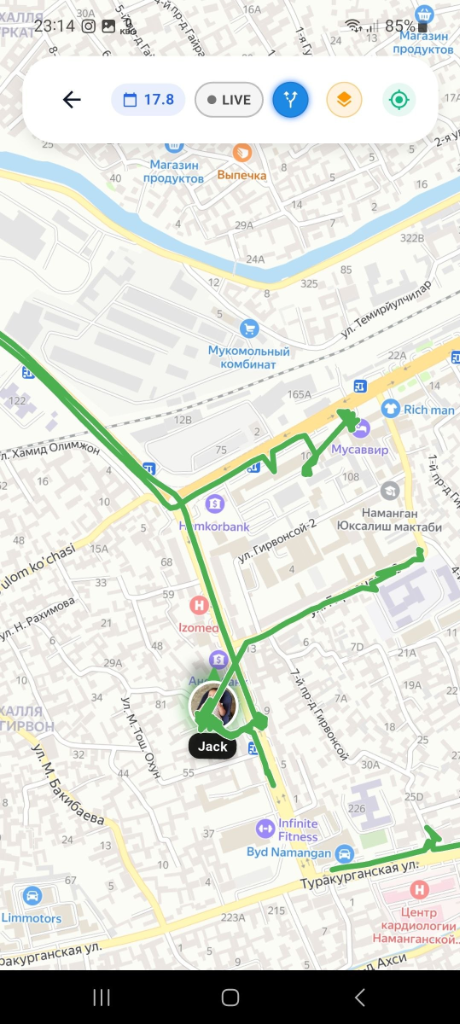
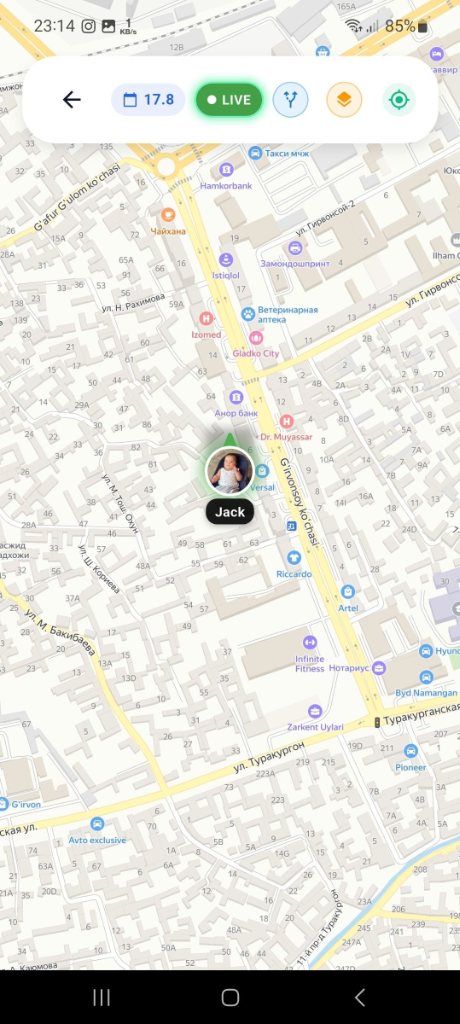
Live GPS & Route History
Track your child's exact real-time location and view accurate movement route history on an interactive map.
App Blocker & Limits
Block inappropriate apps completely or set custom daily screen time limits for games and social media.
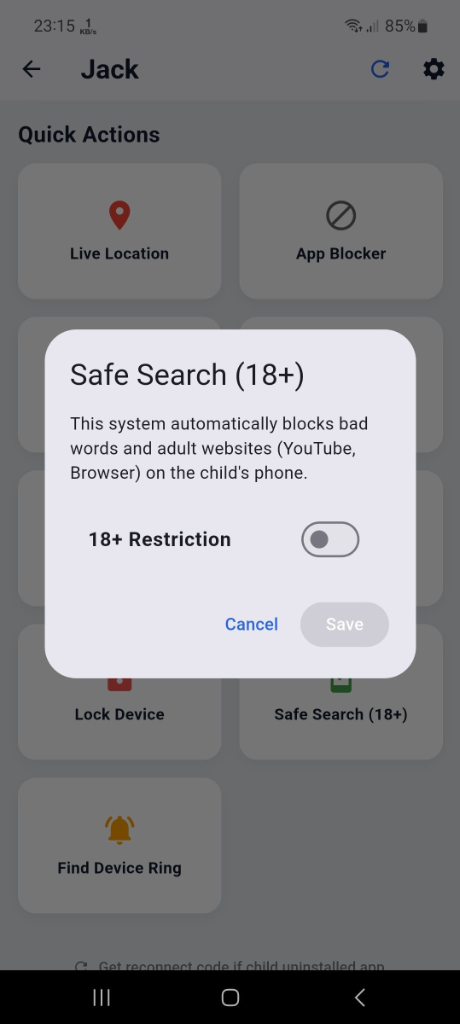
Safe Search (18+) Web Filter
Automatically filter explicit content, bad words, and adult websites across YouTube and mobile browsers.
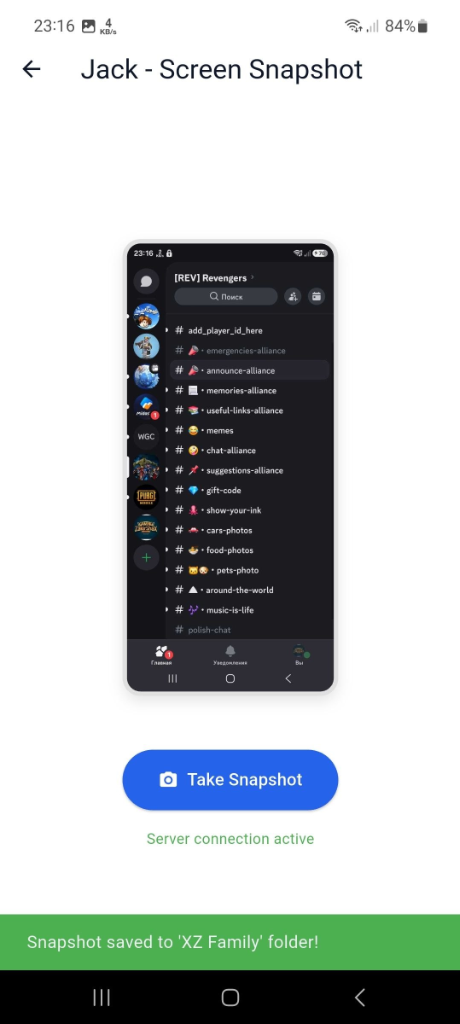
Live Camera & Remote Snapshot
Access live camera streams or take instant screen snapshots remotely to verify your child's surroundings.
Ambient Audio Listener
Listen to surrounding ambient audio via child's device microphone whenever safety confirmation is needed.
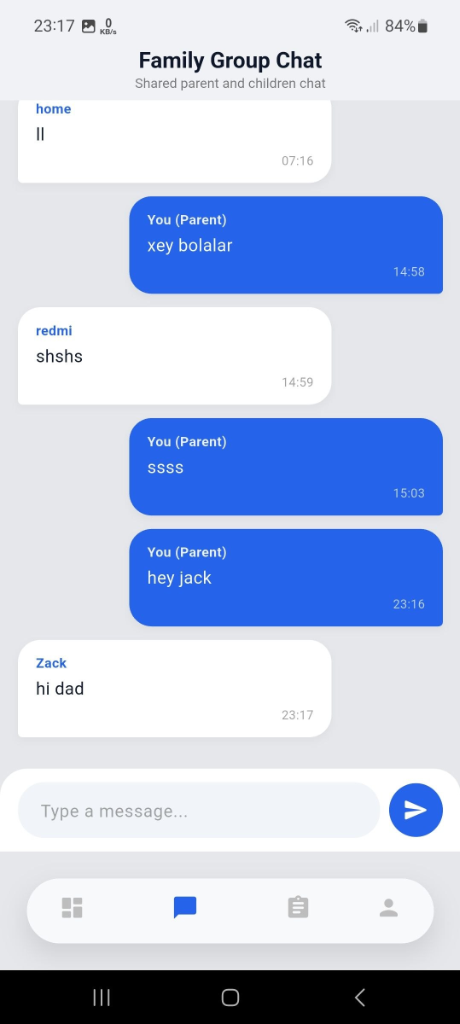
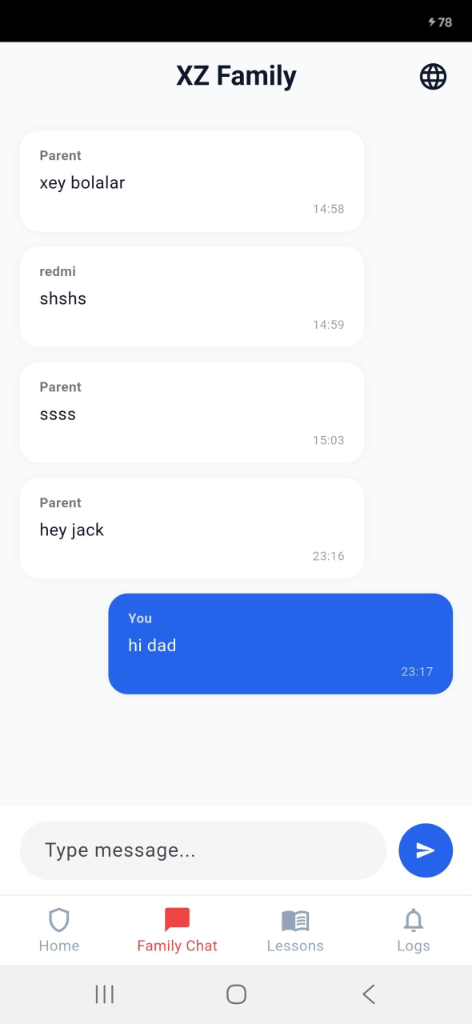
Family Group Chat
Stay connected with a secure shared family chat between parents and children directly inside the app.
Remote Lock & Find Device
Instantly lock the child's phone remotely or trigger a loud ringing alarm if the phone is misplaced.
Instant Emergency SOS
Receive instant high-priority push alerts when your child presses the emergency SOS button.
Screen Time Analytics
View detailed daily and weekly reports showing exact time spent on each app and total phone usage.
How It Works
Get started with XZ Family in three simple steps. It's designed to be intuitive for parents while providing robust protection for children.
Install the App
Download and install XZ Family on both parent and child devices from the Google Play Store.
Connect Devices
Link the child's device securely to your parent account using a simple QR code or pairing code.
Set Rules & Monitor
Configure app limits, block inappropriate content, and start monitoring to keep your child safe online.
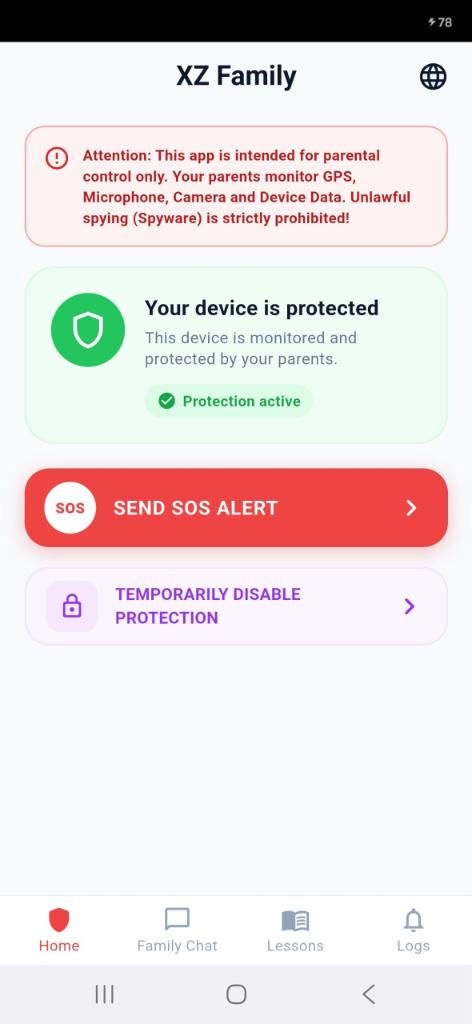
Beautifully Designed Interface
A clean, modern, and intuitive interface that makes managing your family's digital safety easier than ever.


Frequently Asked Questions
Find answers to common questions about XZ Family and how it works.
Get in Touch
Have questions or need support? We're here to help you.
Contact Information
Whether you're looking for support with the app, have a billing question, or just want to share feedback, our team is ready to listen.
Email Us
xakerzo@gmail.comTelegram Support
@xzfamily_support ↗